
TileView - What is happening right now?
TileView - realtime monitoring tool of Keytiles is fundamentally different from what other analytics solutions offer. On this page we focus on this.
Content of this page
- # Intuitive, scroll free - user friendly
- # What really makes Keytiles different…
- # Some features
- # How to use it?
Intuitive, scroll free - user friendly
TileView is based on Treemap visualization which leverage the brain's natural ability to recognize size and patterns, making hundreds of constantly changing entities understandable at a glance. The human eye struggles with hundreds of numbers, but excels at spotting the biggest shapes. Instead of searching through hundreds of changing values, endless list of URLs and charts / graphs users simply follow the largest and fastest-growing areas of the map.
What really makes Keytiles different…
For Keytiles your content is not just a flat list of URLs. But Keytiles is aware of your content structure too. This enables our TileView to go with the Treemap visualization.
Watch the below video so you can have a good guess about how it works and why it is loved by website content editors!
(click will take you to YouTube)
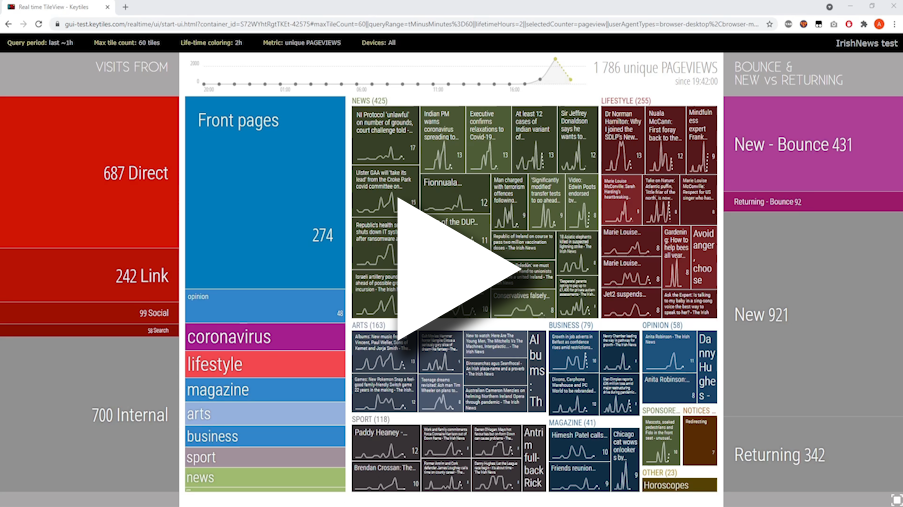
or go to: https://youtu.be/r8bR32ZtPYc
Some features
Data views
TileView provides several screens and hierarchical browsing possibilities (you saw that in the above video) to focus on different slicing of the full information flow.
We have for example:
- Overview screen: you see here Traffic sources, most popular contents and also Engagement factors. You start here and can zoom in from here.
- Referrer related screens: in case you want to monitor Traffic sources, most popular landing pages from each.
- Campaign tracking screens: to monitor how you different Campaigns perform, most popular landing pages.
and more.
Segregation and filters
You can focus on different segments of the traffic by applying filters easily. E.g. different device types, user types, campaigns - all of them is easily available from the top navigation bar.
Colorful - but with meaning
TileView applies colors to further help your eye to quickly distinguish blocks.
It assigns colors to content structure (menu structure) of your website. Colors are kept and the same accross all screens so after a while your brain will learn it subconsciously.
We also use brightness of these colors - which shows you the age of the content. This way you can easily spot a content which however older now for some reason gains attention.
How to use it?
You can use it many ways. :-) But typically Keytiles screens are beamed out on large monitors.
People assemble a list of different screens - each focusing on different view of the information. And then auto-rotate them.
If you use Keytiles on unattended machines you should also check this article out: Using Keytiles on unattended machines.